Mastering Betaflight Blackbox Logging for FPV Drones
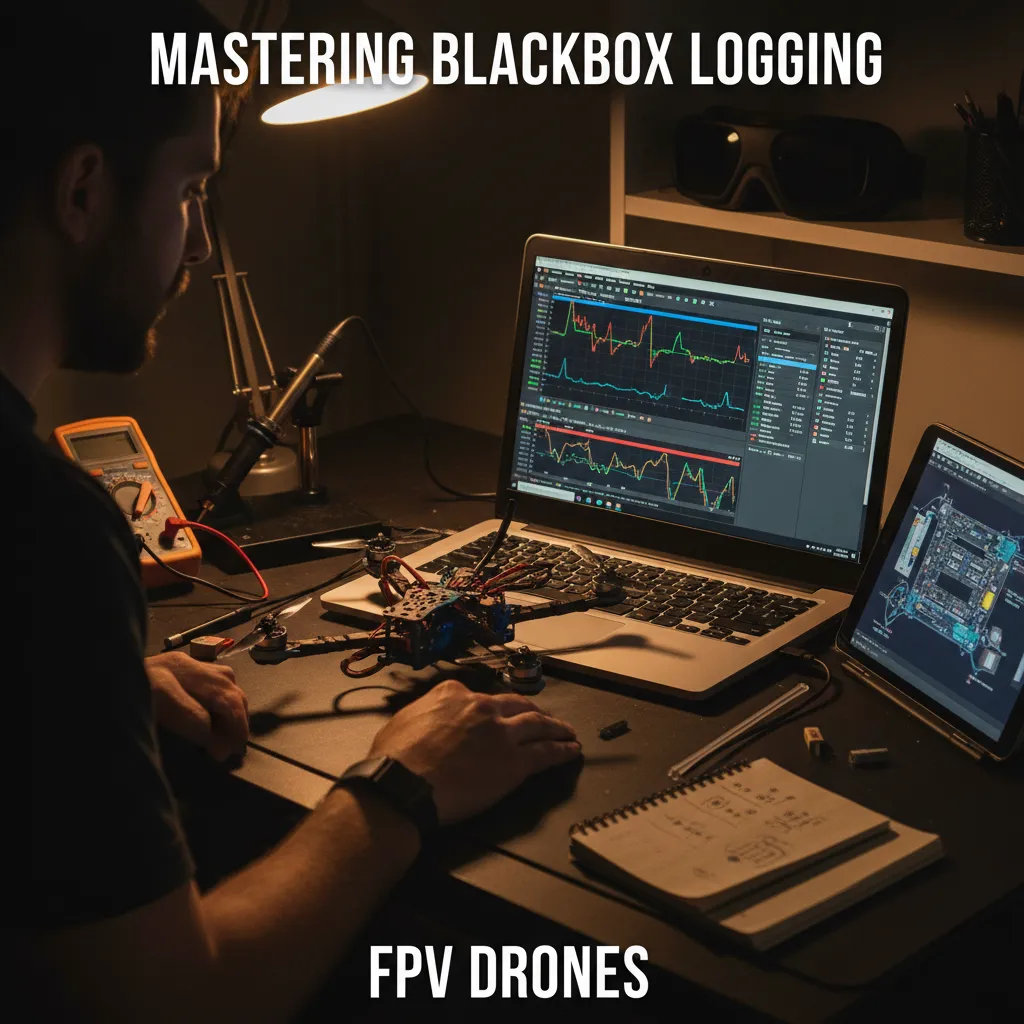
When I first stumbled into the labyrinth of FPV drone tuning, it felt like chasing shadows—guessing blindly at what could be tweaked. That haze lifted the moment I embraced Betaflight’s Blackbox logging. This feature turns every twitch, vibration, and maneuver into a story told by data, transforming intuition into insight. Join me as I unpack my adventure setting up Blackbox, decoding logs, and turning chaos into clarity.
TL;DR: Betaflight Blackbox unlocks detailed flight data recording, powering precise PID tuning and advanced analysis. Coupled with the Blackbox Explorer, it transforms flying guesswork into scientific understanding.
Discovering Blackbox: From Guesswork to Data-Driven Tuning
My journey into FPV drone tuning took a sharp turn the day I discovered Betaflight Blackbox. Before that, every adjustment was a mix of hope and gut feeling—tweak a slider, fly, and wonder if things felt “better.” But the first time I opened a flight data recorder log, everything changed. Suddenly, the data told the story, not just my instincts. Using Blackbox, tuning became less guessing and more scientific, turning each flight into a data story.
So, what exactly does Betaflight Blackbox record? It’s more than just a black box in name. Every time I arm my quad, Blackbox captures:
- Stick inputs—exactly how I move the controls
- Gyro outputs—the drone’s real-time motion and rotation
- PID controller responses—how the flight controller tries to correct and stabilize
- Vibrations and motor outputs—down to the smallest twitch or shake
All this is saved as .bbl files, which I can later explore in detail. Blackbox records every PID loop iteration, letting me see how each micro-adjustment affects flight. This level of detail transforms confusing in-air quirks into clear, actionable insights.
At first, I tuned by feel—like most beginners. There’s nothing wrong with that. In fact, for simple builds or first flights, trusting your gut and following basic tuning guides (like this one) works just fine. But as I chased smoother flights and wanted to push my FPV drone’s limits, I needed more. That’s where FPV drone logging with Betaflight Blackbox became my secret weapon.
With each log, I could pinpoint exactly when a vibration started, see if a motor was hitting its limit, or spot lag between my stick input and the drone’s response. Instead of guessing why a propwash oscillation happened, I could see it in the data—frame by frame. It’s a shift from “that feels about right” to “here’s what the data says.”
Now, every time I fly, I know my quad’s story is being recorded. Whether I’m troubleshooting a weird twitch or chasing perfect PID tuning, Betaflight Blackbox turns every flight into a lesson, making my tuning process smarter and more precise.
Setting Up for Success: Hardware Choices and Logging Configurations
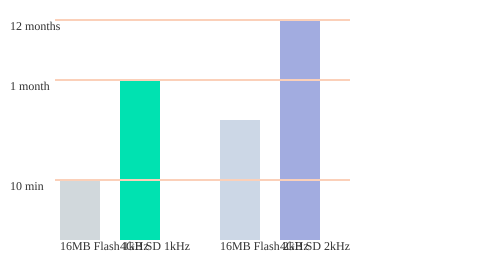
My first real leap into Betaflight Blackbox logging started with the humble 16MB Winbond onboard flash chip. It was built right into my flight controller, and for a while, it felt like magic—capturing every stick twitch and gyro spike during my flights. But I quickly learned its limits: at a 2 kHz logging rate (my go-to for advanced PID and filter tuning), that 16MB chip only stored about 5–10 minutes of flight data. If I forgot to clear it, I’d miss logging the most critical flights. Betaflight Configurator’s storage indicator became my best friend, reminding me to erase old logs before each session.
Wanting more freedom, I switched to SD card logging. A simple 4GB, FAT32-formatted SD card (see my recommended picks) could record nearly a year’s worth of flights—even at high logging rates. Each arming cycle created a fresh log file, making organization and retrieval a breeze. For boards without onboard flash or SD slot, I experimented with the OpenLog module, wiring it to a spare UART and enabling it in the Ports tab—a reliable workaround that’s still widely used.
Choosing the Right Logging Rate
“Choosing the right storage and logging rate was key to balancing detail and practicality.” For basic tuning, 1 kHz logging is plenty and doubles storage time. But for deep dives—tracking subtle vibrations or filter effects—I always bump up to 2 kHz (or 1.6 kHz for BMI270 gyros). Higher rates capture more detail, but fill up storage faster. The chart below shows just how much more you can store on SD cards versus onboard flash:
Storage Management & Debug Mode
- Disable rarely used fields (accelerometer, magnetometer, RSSI) in Betaflight Configurator to save space.
- Set Debug Mode to
NONEfor normal flights; enable modes likeFFT_FREQonly for advanced noise analysis. - Regularly clear logs—especially when using onboard flash—to avoid missing important data.
With the right hardware and smart logging configurations, I finally moved from guesswork to data-driven tuning—unlocking the full power of Betaflight Blackbox.
Diving Deep with Blackbox Explorer: From Logs to Insights
The first time I loaded a .bbl log into Blackbox Explorer, I realized I was no longer guessing—I was seeing my drone’s story unfold, frame by frame. The interface is packed with tools that make gyro data analysis and PID tuning not just possible, but intuitive. The 3D model instantly shows my quad’s attitude, while the graph legend lets me toggle traces like pitch, roll, yaw, motor outputs, and PID terms. Every stick input, every motor twitch, is right there, visualized in real time.
The timeline and marker tools are game-changers. I can trim out noisy takeoffs, drop markers on key moments—like a sudden oscillation or a motor hitting 100%—and scrub through every millisecond. Hotkeys speed up my workflow, letting me zoom in on critical events or set “in” and “out” points for focused analysis. As I review logs, I often find myself saying,
Blackbox Explorer transformed my maze of data into clear, actionable flight insights.
Turning Data into Flight Stories
What really sets Blackbox Explorer apart is how it turns raw data into visible flight stories. Watching the 3D model, I can replay a roll or flip and see exactly how the quad responded. Overlaying Setpoint (my stick command) and Gyro (actual drone movement) on the same graph reveals lag, overshoot, or sluggishness—key clues for PID tuning. Motor output traces expose hardware limits, like when a motor saturates during a hard maneuver.
Video Sync: Confirming What the Data Shows
Syncing flight logs with unstabilized MP4 video is a revelation. By matching a sharp roll or audio cue, I can pinpoint the exact moment of a crash or spot hidden oscillations that might not be obvious from data alone. This cross-checking gives me total confidence in my findings—if the log says a prop flew off, the video confirms it.
Spectrum Analyzer: Decoding Motor Noise and Filter Delays
The built-in Spectrum Analyzer is my go-to for diagnosing motor noise and filter effectiveness. By pressing SHIFT and moving the cursor, I can highlight noise peaks and see how vibration frequencies shift with throttle. The frequency vs throttle graph reveals if my filters are delaying the gyro signal or missing critical noise bands. This tool alone has saved me hours of trial and error, letting me fine-tune filters with scientific precision.
Blackbox Explorer’s visual tools have revealed nuanced drone behavior and hardware limitations I never would have caught by feel alone. Now, every log is a story—one I can read, understand, and use to fly better.
Tuning Triumphs and Pitfalls: Lessons from Data and Community Wisdom
When I first dove into Betaflight Blackbox logging, I was chasing smoother flights and clearer answers. The difference between “it feels off” and “here’s the flight data log” was night and day. Suddenly, every twitch, bounce, and odd vibration had a story—and a solution. Through countless sessions, I learned to spot tuning triumphs and pitfalls, especially when it came to PID tuning, motor noise, and SD card quirks.
Recognizing Patterns: Overshoot, Motor Saturation, and Noise
One of the biggest breakthroughs was learning to read overshoot patterns in the data. High P values caused sharp, snappy overshoots—my quad would lurch past the setpoint, then snap back. Too much I term showed up as a slow, creeping ramp that made the drone feel sluggish. Excessive D term? That was a recipe for motor noise, hot motors, and sometimes even mid-air shutdowns. Watching motor outputs in Blackbox Explorer, I saw how one motor hitting 100% before the others meant saturation—a clear sign to rethink my prop or motor choice.
Noise Analysis and Radio Link Quality
The Spectrum Analyzer became my go-to for tracking down vibration issues. I could see filter-induced delays, pinpoint noisy frequencies, and even check my radio link quality. Spiky Feedforward traces often revealed poor radio smoothing, while evenly spaced RC commands confirmed a healthy radio link. These insights helped me fix issues I’d never spot by feel alone.
Community Wisdom: Real Stories, Real Fixes
What truly shaped my journey was the community. Pilots like Pedro, Dipankar, and Joel shared their struggles—SD card formatting headaches, ESC desyncs, and logging format confusion. Their stories and feedback often solved problems I’d never tackle alone. As I wrote in my notes:
Thanks to community input, I fixed issues I’d never tackle alone, like ESC desync and SD card quirks.
Whether it was a prop flying off (caught by a sudden drop in motor output) or a mysterious logging error, someone in the comments had a workaround or a new tool to try.
| Component | Specs/Cost |
|---|---|
| 16MB Flash Chip | Stores 10-20 mins at 1 kHz |
| Radiomaster T8L ExpressLRS Controller | ~$35 |
Every log, every comment, and every shared workspace made my tuning sharper and my troubleshooting faster. The blend of hard data and community wisdom turned Blackbox from a tool into a lifeline for mastering FPV drone performance.
Why Blackbox Logging is a Game-Changer for FPV Pilots
My journey with FPV drones took a sharp turn the day I discovered Betaflight Blackbox. Before that, tuning was a guessing game—one where I’d tweak a setting, take a flight, and hope for the best. Sometimes it felt like magic, sometimes pure frustration. But the moment I started using Blackbox as my flight data recorder, everything changed. Suddenly, every flight became a story told in hard numbers and clear graphs—no more mysteries, just data-driven answers.
With Blackbox logging, I moved from “that feels about right” to “here’s what the data says.” Each log captures the true heartbeat of my quad: stick inputs, gyro outputs, PID responses, and even the smallest vibrations. Using Blackbox Explorer, I could finally see what was really happening in the air. It was like having X-ray vision for my drone. When something felt off, I no longer had to guess why—a quick look at the logs would reveal the truth, whether it was a noisy gyro, a twitchy motor, or a filter setting that needed attention.
This shift from art to science in FPV drone logging didn’t just make me a better pilot—it made me a smarter one. Systematic logging taught me discipline: planning flights, isolating maneuvers, and analyzing results became second nature. I learned to trust the process, not just my instincts. And as I shared my findings, I realized how powerful the Blackbox ecosystem is. The community—pilots, developers, and mentors like Oscar Liang—turned every log into a learning opportunity. Their feedback, shared templates, and troubleshooting tips made the journey collaborative and rewarding.
Now, every flight tells a clear story. If a crash happens or a motor overheats, I know exactly why. If my drone tracks perfectly through a split-S, I can see which settings made it possible. Blackbox logging has erased the guesswork and replaced it with proof. As I often say,
Tuning is no longer art or luck—it’s science, proof, and continuous progress.
Thanks to Betaflight Blackbox and the wider FPV community, I fly not just better, but smarter. Every log is a step forward, every analysis a lesson learned. The blend of technology, community, and iterative learning has made Blackbox logging truly transformative for my FPV journey—and it can do the same for yours.


